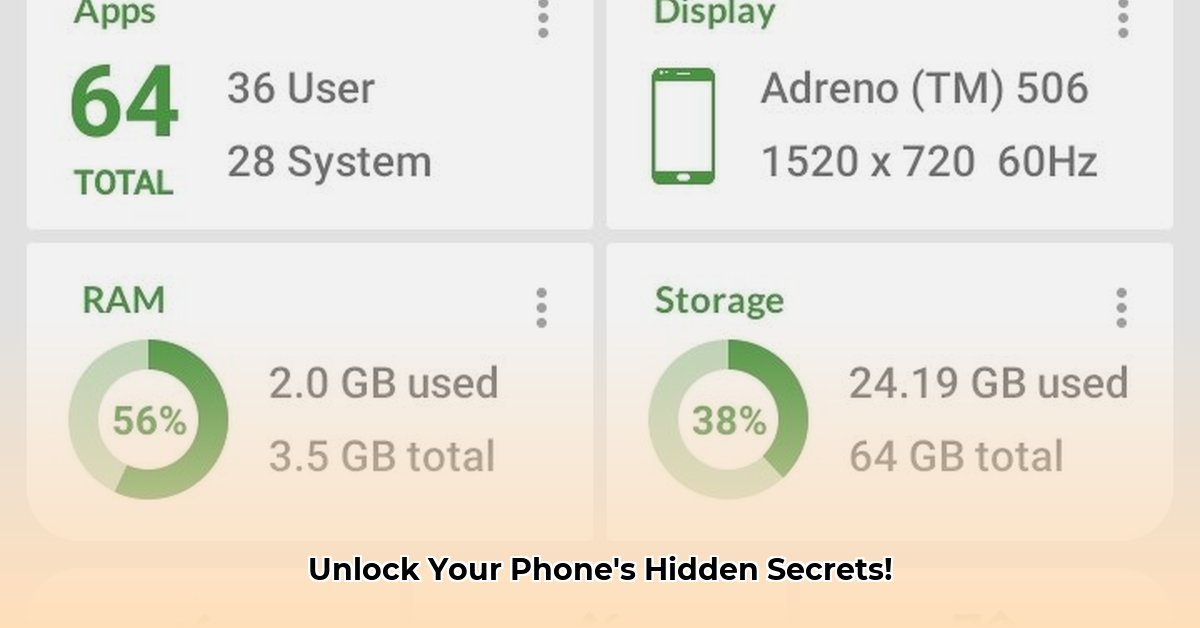
DevCheck APK provides a detailed look inside your Android device, revealing hardware and software information. It's available in free and pro versions, each offering different levels of access. While informative, understanding the potential risks associated with granting access to sensitive device information is crucial. This guide offers a comprehensive overview, a step-by-step instructional guide, and a thorough risk assessment.
Understanding DevCheck's Capabilities
DevCheck acts as a powerful diagnostic tool, providing an in-depth analysis of your Android device's hardware and software. Think of it as a comprehensive report card for your phone – revealing everything from processor speed to installed apps. The free version offers a solid foundation of information, while the pro version unlocks advanced features and deeper insights.
Key Features and Functionality
DevCheck's functionality is organized into several key areas:
1. Hardware Information: Access detailed specifications about your phone's CPU (central processing unit), GPU (graphics processing unit), RAM (random-access memory), storage, and battery health. This includes core counts, clock speeds, and memory capacity. The Pro version extends this with real-time monitoring and benchmarking tools. (Example: Understanding your CPU clock speed helps determine the phone's processing power.)
2. Software Information: Review a comprehensive list of installed apps, along with their individual details like version numbers and permissions. The operating system details, including Android version and security patch level, are also presented. The Pro version provides more detailed system process monitoring.
3. Testing Tools: The Pro version offers various testing tools, including assessments of hardware components like the flashlight, vibrator, and proximity sensor. This adds significantly to its diagnostic capabilities. SafetyNet checks are another significant addition. (SafetyNet checks verify the device's integrity and security status).
4. Customizable Widgets (Pro): The pro version provides customizable widgets to display key hardware information directly on your home screen. This allows for quick, at-a-glance access to vital stats.
DevCheck: Free vs. Pro – A Feature Comparison
The following table highlights the key differences between the free and pro versions of DevCheck:
| Feature | Free Version | Pro Version |
|---|---|---|
| Hardware Details | Basic | Advanced, real-time |
| Software Details | Basic | Advanced, process monitoring |
| Testing Tools | None | Multiple, including SafetyNet |
| Customizable Widgets | No | Yes |
| System Health Checks | Limited | Detailed |
| Customer Support | None | Yes |
The Pro version justifies its cost for users needing detailed system monitoring, diagnostic tools, or constant performance tracking. The free version is adequate for users primarily interested in basic hardware and software information.
How to Use DevCheck: A Step-by-Step Guide
Using DevCheck is straightforward:
1. Download: Download the DevCheck APK from a reputable source like APKMirror or APKPure. (Caution: Avoid unofficial sources to prevent malware infection.)
2. Install: Enable installation from unknown sources in your Android settings (if necessary). Locate the downloaded APK and begin the installation.
3. Launch: After installation, launch DevCheck. Grant the required permissions while carefully reviewing their implications.
4. Explore: Navigate through the different sections to view your device's detailed information. Utilize the various testing tools (Pro version) to assess the functionality of specific hardware components.
Security and Privacy Considerations
DevCheck requires extensive system permissions. This raises crucial security and privacy concerns, especially on rooted devices. While the app's privacy policy states that it doesn't collect personal data, independent verification is lacking. It is advisable to exercise caution when using this app and consider alternative solutions that offer greater transparency. The risk increases for rooted devices as the app gains enhanced access to sensitive system files. Therefore, only install from trusted sources and thoroughly review the app's permission requests before granting them.
Alternatives to DevCheck
While DevCheck is a leading device information application, various alternatives exist. Explore these to find features and an approach best suited for your specific needs and comfort levels regarding data access.
Conclusion: Is DevCheck Worth It?
DevCheck provides valuable insights into your Android device's internal workings. The free version is sufficient for casual users who want basic information. For power users and those requiring advanced diagnostics and monitoring, the Pro version is a worthy investment. However, users must carefully weigh the information gleaned against the security and privacy implications of granting access. Always prioritize downloading from trusted sources and critically reviewing permission requests.
⭐⭐⭐⭐☆ (4.8)
Download via Link 1
Download via Link 2
Last updated: Friday, May 09, 2025